Welcome to InterviewCue
Professional Podcast Management
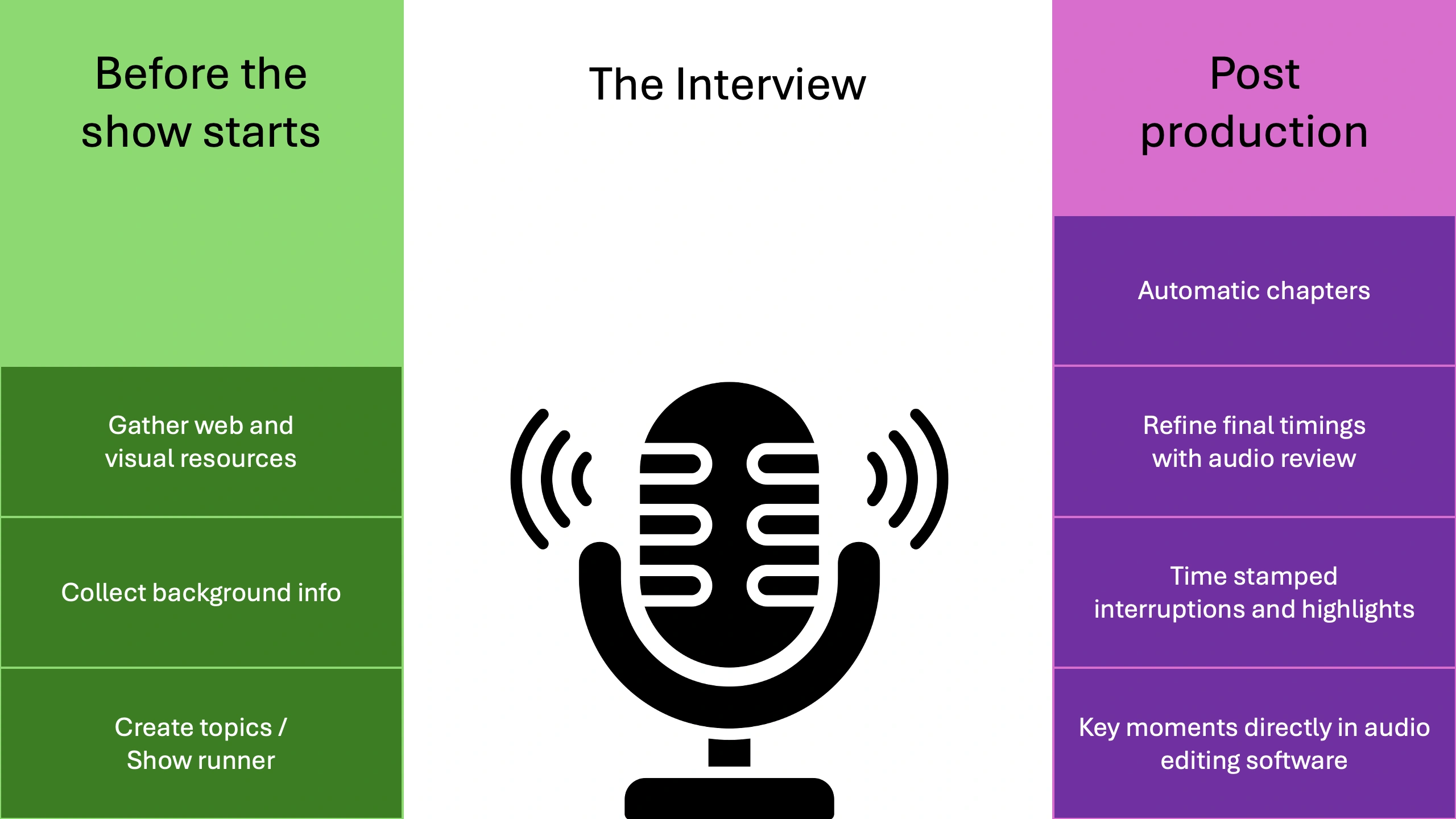
From your first research notes to your final published episode, InterviewCue provides Professional Podcast Management that eliminates the friction between preparation, execution, and post-production -- allowing you to focus on what matters most: authentic, engaging conversations.
See How It Works
Watch the full journey from Google Docs to published episode in this 10-minute walkthrough:
Or, walk through it step by step: Your First Interview -- a guided tour showing exactly how InterviewCue transforms your interview workflow.
Who Is InterviewCue For?
🎙️ Podcasters
Conduct interviews with confidence, generate chapter markers, and edit the final audio with rich info collected automatically. Run on your laptop or on your iPad for the perfect recording companion that one tap away and keep your focus sharp.
📰 Journalists
Track key quotes and follow-up moments during long-form interviews. Never miss important details with automatic timestamping and quick-capture hotkeys.
🎬 Content Creators
Capture highlight moments for social media and promotional content. Works beautifully on mobile, tablet, and desktop -- wherever your interviews take you.
🎚️ Producers
Help hosts prepare better and streamline post-production workflows. Professional app experience on any device, with real-time collaboration features. Enhance and guide the interview in real-time with host and producer in sync.
✂️ Editors
Jump directly to the moments that matter with timestamped events and audio scrubbing. Review highlights, coughs, mistakes, and follow-ups with precision, then export directly to Premiere, DaVinci Resolve, Logic, Audition, and more -- no more searching through hours of audio.
Why InterviewCue?
Before the Interview
Stay informed and confident with professional preparation tools that eliminate pre-interview anxiety:
📝 Smart Question Management - Organize your questions with detailed, markdown-formatted background notes visible only to you during the conversation. Research, pronunciation guides, talking points -- everything you need, nothing you don't.
🔗 Resource Compilation - Gather reference links (social profiles, articles, product demos) in one place for instant access during recording. Automatically extract links from your questions or add them manually.
⚡ Markdown Import - Skip the WYSIWYG editor and import complete interviews from markdown files. Perfect for AI-assisted prep or batch creation. Download our simple interview template and go.
🔍 Intelligent Search - Find any interview instantly by searching questions, background notes, links, titles, show names, or host names. Your entire interview history at your fingertips.
📂 Show Organization - Group interviews into shows/series with consistent branding, hosts, and metadata. Perfect for managing multiple podcasts or interview series.
🚫 Smart Link Filtering - Permanently exclude repetitive promotional links that clutter your imports. Automatically import topic-relevant resources. Start with clean, focused reference lists every time.
During the Interview
Stay present with your guest while capturing critical moments with one-key hotkeys. Every highlight, follow-up, chapter marker, and audio issue is automatically timestamped. No manual note-taking, no looking away from your conversation.
📋 Questions with Background Information - Simple, uncluttered UI that's glanceable -- stay focused on the interview while having confidence that extra information is available when needed.
⏱️ Automatic Event Recording - Question timing and other events are automatically timestamped for later editing and post-production. Just click the question title and we'll keep track of things for you.
👥 Collaborative Multi-Host & Multi-Guest - Allow everyone to stay on the same page with real-time synchronization. Everyone can add resources, notes, and information during the show.
🔗 Open Links as a Group - Automatically collected reference links can be opened together into a separate browser window for quick and reliable navigation with our specialized Link Opener tool.
🎭 Practice Interview Sessions - Rehearse high-stakes interviews to ensure you're ready -- no data is recorded.
🤝 Guest Collaboration Mode - Guests' view follows the hosts automatically and they also have the background information at their finger tips, helping them be more confident and on point.
⏲️ Real-Time Running Timer - Shows elapsed time throughout the interview -- always know where you are in the conversation.
☀️ Screen Wake Lock - Automatically keeps your screen awake during active interviews -- no accidental sleep interruptions.
🔍 Font Zoom Controls - Adjustable text size for questions and background info for comfortable reading at any distance.
📜 Text View with All Questions - See your entire interview as a scrollable document with current question highlighted. Click any question to jump to it. Works with browser search (Cmd+F/Ctrl+F).
📱 Touch-Optimized Interface - Large 48px minimum tap targets for confident mobile use.
📊 Visual Progress Indicators - Progress bar shows how far you are into the interview so you know how much time you have left or to fill. Question counter ("Question 3 of 12") and status badges show which questions have been asked versus upcoming.
After the Interview
Transform captured events into professional output instantly. Chapter markers, show notes, and edit points are ready to export in formats your workflow needs. No more listening through hours of audio to find that perfect quote.
📊 Chronological Post-Production Timeline - View everything that happened during the interview in chronological order: interview start, questions asked, notes captured, interruptions marked, highlights recorded, even new URLs added as resources. See real-world example.
⏰ Manual Time Entry - Edit timestamps by clicking on any time in the timeline to dial in precise timing for each question or event.
🎧 Audio Scrubbing Alignment - Upload your original or finalized recording and use our slick, user-friendly interface to play audio around each timestamp. Scrub through your audio to find the exact moment each event occurred and lock in perfect timing. Works on both raw and adjusted timelines. Learn more
 🔗 Copy Links as Markdown - All reference links added during pre-production and during the episode can be copied in markdown format for instant show notes creation.
➕ Add Resources Post-Recording - Continue adding links and resources after the interview so everything is ready when you generate show notes.
📝 Export Show Notes - Generate complete show notes with timestamps, highlights, and reference links in markdown format.
📤 Multi-Format Timeline Export - Export your timeline in PDF, JSON, CSV, Markdown, CUE sheets, and more -- compatible with your existing workflow.
🎬 Professional Editor Integration - Export event markers directly to Adobe Audition (CSV), DaVinci Resolve (EDL), Logic Pro (MIDI), and Premiere Pro -- your chapter markers and edit points import seamlessly. Here's an example from Adobe Audition:

📜 Transcript Alignment - Upload transcripts from both your original recording and your final edited version (with intros, outros, cuts, and ads). Our proprietary advanced algorithm generates a post-production aligned timeline that accounts for all your edits. This way, your production timeline and chapters match your final released audio / video exactly.
🎯 Auto-Generated Chapters - Use the final aligned recording to generate near-second-perfect chapters automatically -- no more manual timestamp hunting.
🤝 Share with Your Team - Share your post-production timeline page with editors, producers, and collaborators who can view the timeline, review events, and export what they need -- no account required.
👁️ Raw vs. Finalized Timelines - Switch between your original recording timeline and the finalized production timeline (after transcript alignment). Both are preserved, exportable, and can be regenerated.
What Makes Us Different
- 🎯 Transcript Alignment Algorithm - Align raw and final recordings to auto-generate perfect chapters
- 🎧 Audio Scrubbing Interface - Visual timeline with audio playback for precise timestamp adjustment
- 👥 Real-Time Collaboration - Multi-host/guest mode with live synchronization across all devices
- ✨ Lightning-Fast Hotkeys - Capture moments without breaking eye contact
- 📝 Markdown Import/Export - Skip the editor, work in plain text, integrate with AI tools
- 📱 Professional Mobile Experience - Native-like app on any device with touch-optimized interface
- 🚀 Production-Ready Export - Direct integration with Audition, Premiere, DaVinci, Logic, and more
Built for Real Creators
InterviewCue was created by Michael Kennedy, who runs two popular podcasts with over 1,000 episodes and 10+ years of podcasting experience. Born from Michael's personal need to make his shows the very best they can be, every feature in InterviewCue solves real problems encountered weekly. InterviewCue is built by podcasters, for podcasters and other interview professionals.
Every feature reflects the reality of interview production:
- Questions that guide without constraining
- Background notes that inform without overwhelming
- Hotkeys that capture without distracting
- Exports that integrate seamlessly with your tools
- A design that disappears when you're recording and appears when you need it
Your Interviews Deserve Great Tools
Great conversations happen when you're fully present. InterviewCue handles the details so you can focus on connection, curiosity, and creating memorable content. Then when the recording ends, your post-production work becomes faster, easier, and richer with automatically captured timestamps, events, and context that would otherwise be buried in an hour of audio.
Ready to get started?
→ See Your First Interview Journey - Get inspired by the complete workflow
→ Browse All Documentation - Explore everything InterviewCue can do